Record the starting state
Note the system version, extensions and environment responsible for the website. Read current manufacturer guidance for the intended update. A general article cannot replace the prerequisites for your specific version. Resolve unclear compatibility questions before intervention rather than investigating them only after an error.
Record the key tasks that must work afterwards. These may include login, editing, search, forms and downloads where present. Choose concrete examples. “Check website” does not establish whether a form was actually delivered or merely visible.
Verify backup and rollback beforehand
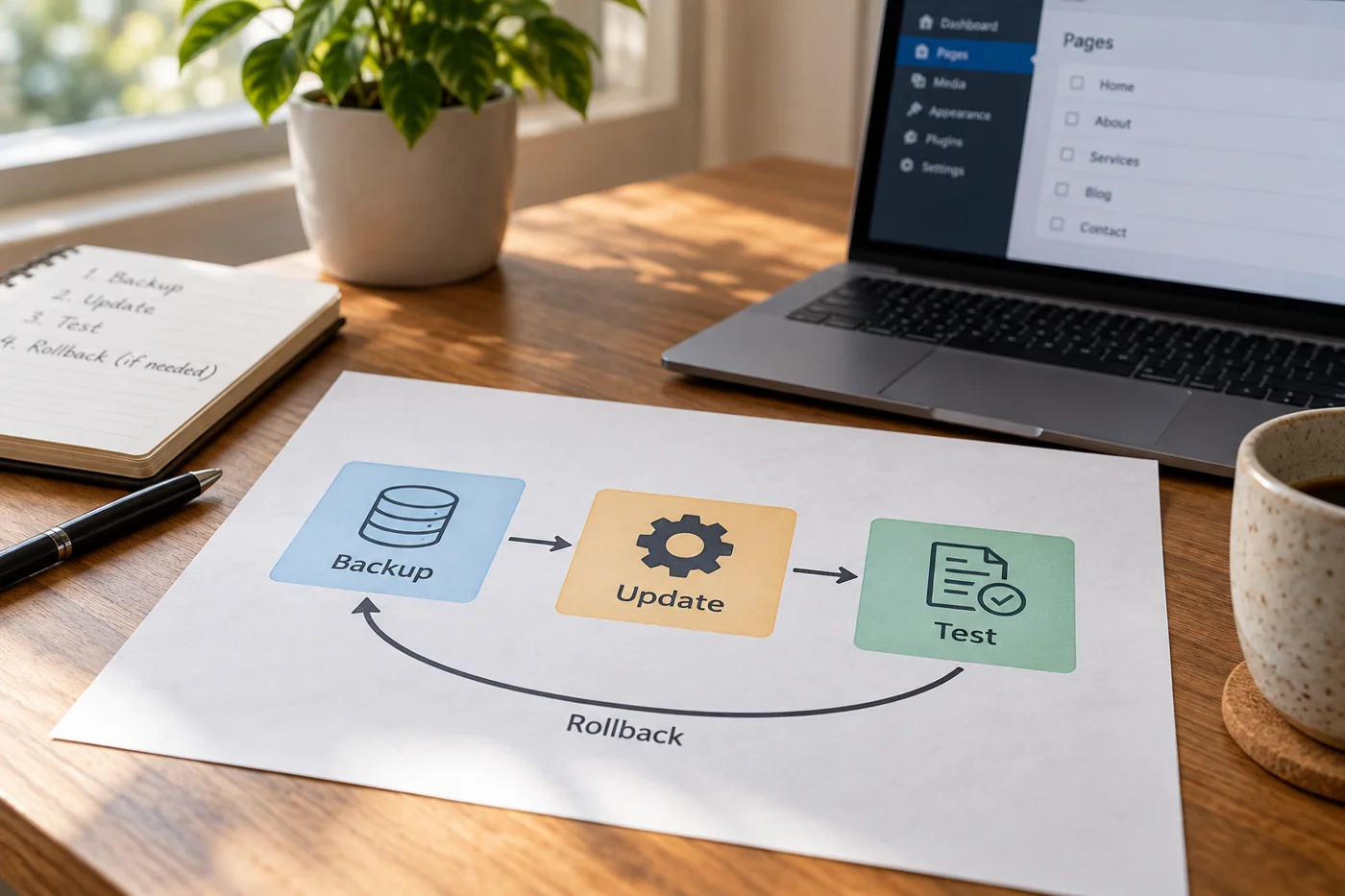
Create or confirm an appropriate backup through the intended procedure. WordPress recommends backing up before updates; other systems have their own documented processes. What matters is whether required components are included and accessible. A “Backup successful” notification does not replace knowing how restoration works.
Establish who can restore and what the consequences would be. If new orders or content can arrive during the update, returning to an earlier state has implications. Plan how such changes will be handled instead of treating rollback only as a technical button.
Distinguish two apparently successful outcomes
An update can report completion while a particular content template behaves differently afterwards. Check a normal text page and a page containing an additional module, for example. An unchanged homepage does not establish that both templates still display all their content.
If only the extra module is affected, record that relationship. A specific finding helps decide between a module correction, a configuration change and returning to the previous version. Avoid several unplanned follow-up updates before narrowing the first fault sufficiently. Keep the original example available so the eventual fix can be checked against the same case.
Compare in a suitable environment
If a separate test environment exists, perform the planned procedure there first. It should represent the relevant setup sufficiently. A simplified copy missing an important extension cannot reveal that extension's problem. Document differences from production so the result can be interpreted correctly.
Prevent the copy from sending real notifications or triggering other live processes accidentally. Use prepared test recipients and data. Also check whether protected content is available only to the intended test group. A website copy is not automatically a securely isolated environment.
Make changes traceable
Follow the sequence intended for the system and involved components. No universal order correctly covers every combination of core software, extension and runtime. Record steps actually completed and where feedback differed from expectations.
Do not simultaneously change several unrelated content or design areas unless included in the task. That makes unexpected behavior harder to attribute. An update and substantial redesign can be separate changes even when they technically involve the same system.
Repeat the prepared tasks
After updating, check availability first and the selected journeys next. Sign in with an appropriate role, open representative pages and test existing inputs. For forms, visible feedback and actual receipt belong together. For downloads, the file matters rather than only the link label.
Compare the small-screen view and at least one ordinary unchanged route. An update may alter presentation or interaction without causing a complete outage. Record the observed difference concretely instead of immediately labeling every unfamiliar detail a system fault.
Verify production and completion
If the change is subsequently transferred to production, repeat important checks there. Configuration, services or access may differ despite a successful test. Record the actual deployed state, time and outstanding limitations. A successful test copy does not prove the production output.
When an essential journey fails, use the prepared plan to choose correction or restoration. Repeat the affected cases afterwards. Keep results with the system documentation so the next update starts with known dependencies and a checked procedure rather than hoping that clicking Update will be enough. Include any manual adjustment needed after the update; otherwise the next person may repeat the main steps correctly while missing the one local setting that made this attempt work.